THE SHORT ANSWER
What matters most.
Review expected clickthrough rate, ad relevance and landing page experience as separate diagnostic signals. Look at the search intent, ad and destination behind a below-average component, then make a focused change and measure conversions and lead quality. Google compares components against other advertisers for the same exact searches over the past 90 days; a dash can mean there is not enough data to calculate the score.
QUICK REFERENCE
Key takeaways.
- KEY POINT 01Quality Score is a 1–10 keyword-level diagnostic for Search, not a KPI or auction input.
- KEY POINT 02Its components are expected CTR, ad relevance and landing page experience.
- KEY POINT 03Use the component statuses to locate a possible mismatch rather than optimizing the number alone.
- KEY POINT 04Review actual search intent, ad copy and the landing page together before changing account structure.
- KEY POINT 05A dash can indicate insufficient matching search data, not a broken campaign.
- KEY POINT 06Judge campaign decisions with conversions, qualified leads and spend—not Quality Score by itself.
THE BASICS / A DIAGNOSTIC, NOT A GOAL
Understand what Quality Score does and does not mean
Google reports Quality Score on a 1–10 scale at the keyword level for Search campaigns. The diagnostic helps advertisers compare an ad experience with other advertisers appearing for the same exact searches over a recent period. It can suggest where to investigate; it does not summarize every factor that determines whether an ad is useful in a particular auction.
Google explicitly says Quality Score is not a key performance indicator and is not an input in the ad auction. The real-time evaluations of ad relevance, expected CTR and landing page experience are used in the auction, while the displayed 1–10 score is a reporting diagnostic. Do not promise that raising a keyword’s score will automatically lower costs, lift rank or produce more leads.
This distinction matters for Mumbai campaigns where location, device, search wording, competition and the offer can all vary. A score is one clue in the account—not proof that a keyword is profitable, that a landing page converts, or that the campaign reaches the right areas.
| Quality Score can help you | It cannot prove by itself |
|---|---|
| Spot a component that may need review | That a campaign is profitable or a lead is qualified |
| Compare the account’s diagnostic status for a keyword | Exactly what happened in one individual auction |
| Prioritize a closer look at an ad or landing page | That changing the score will guarantee lower cost or higher rank |
DIAGNOSIS / LOOK FOR THE MISMATCH
Read the three component statuses separately
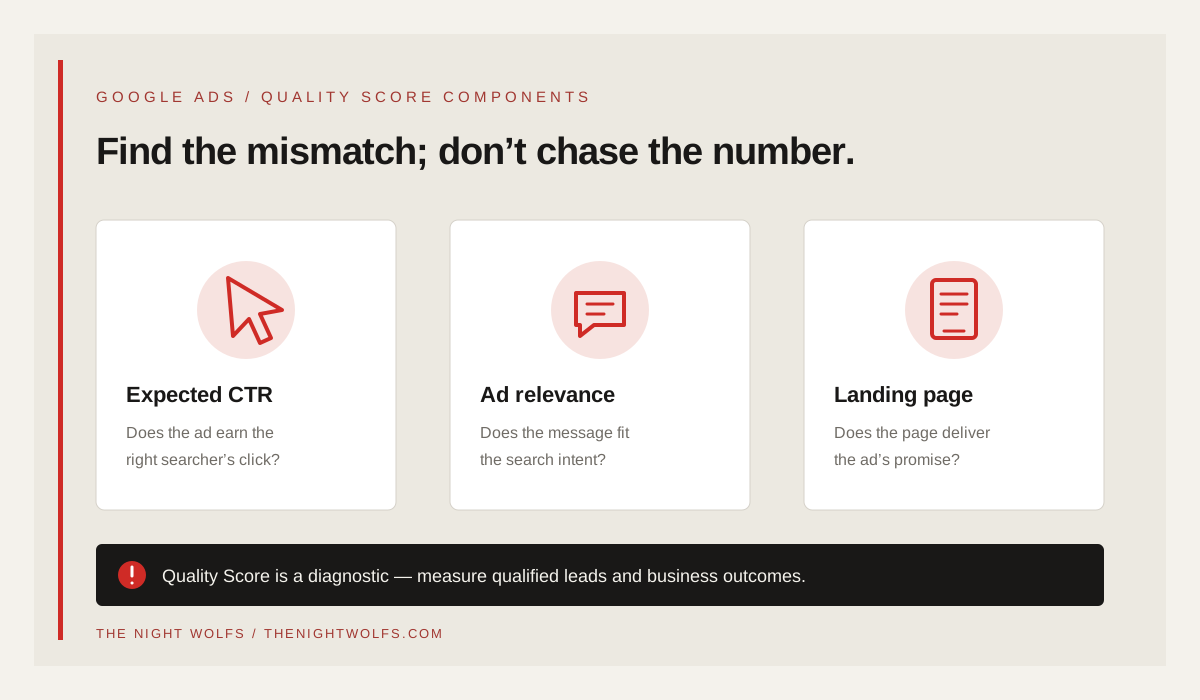
Google evaluates three components: expected clickthrough rate, ad relevance and landing page experience. Each is reported as Above average, Average or Below average. A component marked Average or Below average can be a reason to investigate, but the status is comparative and should be read with the keyword, search context and business goal in view.
The components are not interchangeable. A below-average expected CTR calls for a different review from a below-average landing page experience. Look at each status separately, then follow the path from the search query to the ad and from the ad to the page. Avoid changing several unrelated settings just to see whether the 1–10 score moves.
Google’s component comparison uses advertisers whose ads showed for the exact same search over the previous 90 days. That context is one reason to avoid treating the number as a universal grade across every Mumbai keyword, industry or campaign.
| Component | What it describes | First place to investigate |
|---|---|---|
| Expected CTR | How likely the ad is to be clicked when shown | Search intent, ad promise and how clearly the offer fits |
| Ad relevance | How closely the ad matches the intent behind the search | Keyword theme, search terms, ad group and ad wording |
| Landing page experience | How relevant and useful the destination is to the click | Message match, mobile usability, content and the next action |
EXPECTED CTR / EARN THE RIGHT CLICK
Review expected CTR without writing clickbait
If expected CTR is below average, check whether the ad makes the offer and next step clear to the person who searched. A headline that names the service, a useful differentiator and a specific call to action can help visitors understand what the click leads to. The ad should still describe the real service accurately; a higher click rate from the wrong audience is not a useful improvement.
Review the search terms that triggered impressions and compare them with the ad’s message. If the campaign is reaching irrelevant intent, refine keyword themes or use appropriate negative keywords. If the terms are relevant but the ad is vague, test a clearer message rather than repeating the keyword unnaturally.
Assess actual CTR and conversions alongside the diagnostic. The expected CTR status is comparative; the campaign’s own click and conversion data help you decide whether a specific ad change improved the customer path.
- Make the service and intended audience clear in the ad.
- Use accurate proof points or offers the business can support.
- Check the search terms report for intent that does not fit the service.
- Do not trade qualified traffic for curiosity clicks.
AD RELEVANCE / ONE CLEAR MESSAGE
Improve ad relevance by organizing around intent
An ad group that combines unrelated services can make it difficult to write a message that fits every search. Organize keywords into practical themes where the same ad can answer the underlying need. A visitor looking for a local SEO service should see an ad about that service, not a broad agency message that could apply to any campaign.
Use the search terms report to understand the language people actually use, then check whether the keyword theme, ad and landing page tell a consistent story. Negative keywords can reduce irrelevant matches, but adding them is not a substitute for a clear campaign structure or useful ad.
For Mumbai campaigns, use neighborhood, language or service-area wording only when it helps identify a real offer. Do not insert place names into every headline or imply a local office, coverage area or result that the business cannot verify.
| Mismatch | Possible review |
|---|---|
| One ad group covers unrelated services | Separate themes where different searches need different messages |
| Search term is not a service the business offers | Review keyword targeting and add a suitable negative if appropriate |
| Ad mentions a location the business does not serve | Correct the message and confirm campaign geography |
| Keyword, ad and destination describe different offers | Align the intent and next step across all three |
LANDING PAGE / CONTINUE THE SAME CONVERSATION
Make the landing page fulfill the ad’s promise
When someone clicks an ad, the destination should make the promised service easy to find. Send a service-specific search to a useful service page instead of defaulting every ad to the homepage. Keep the headline, offer, location details and call to action consistent with the ad, and make the next step usable on a phone.
Google’s landing-page guidance emphasizes that the page should match the ad and keywords, work well on mobile and make it easy for visitors to find what they need. For a Mumbai service campaign, that can mean clearly stating what is included, which areas are served, how to enquire and what happens next—without inventing offices, testimonials or outcome guarantees.
Test the final URL and tracking path in Google Ads. Google’s landing-page test can identify issues such as an unreachable destination, a URL mismatch or a page that cannot be found. Passing that technical test does not prove the page is persuasive or that tracking measures qualified enquiries, so review the customer experience separately.
- Match the page heading and service details to the search and ad.
- Make the primary action clear and easy to complete on mobile.
- Show accurate service-area, pricing or offer details where relevant.
- Test the final URL and tracking template in Google Ads.
REPORTING / CHECK WHETHER THERE IS ENOUGH DATA
Treat a dash as a data question, not a failure
A dash in the Quality Score column can mean there are not enough searches that exactly match the keyword to calculate a score. Google notes that a keyword may show a score when a corresponding exact-match keyword had impressions during the previous 90 days. This does not automatically mean the campaign is broken or that the keyword should be removed.
Check whether the keyword is relevant to the business, whether it has enough eligible activity and whether the rest of the campaign data can answer the business question. Use Keyword Planner and the search terms report to review demand and intent, but do not broaden targeting solely to make a score appear.
Quality Score does not capture every context that can influence ad quality, including device, user location, time of day and assets. For a Mumbai service campaign, compare relevant segments and actual outcomes instead of expecting one keyword score to explain the whole account.
WORKFLOW / DOCUMENT EVIDENCE BEFORE CHANGING
Run a focused Quality Score audit
Choose a small set of high-value Search keywords and add the current and historical Quality Score component columns to the keyword report. Google Ads allows the table to be segmented by day for historical score changes. Use a worksheet to connect the diagnostic with the actual search, ad, destination and business result.
For each keyword, record the component below average, example search terms, the ad shown, the landing page and the conversion or lead-quality context. State one hypothesis and one change. If the status is already Average or Above average, do not force a rewrite unless another business signal points to a real problem.
After a change, allow enough activity to review a comparable period. Keep an eye on conversion tracking and qualified enquiry feedback so that a better diagnostic status does not distract from a worse customer outcome.
| Audit field | Record |
|---|---|
| Keyword and intent | What service or question does the search represent? |
| Component status | Which diagnostic is Below average, Average or Above average? |
| Ad and destination | What did the visitor see, and where did the click land? |
| Hypothesis and change | What specific mismatch will this change address? |
| Business outcome | What happened to conversions, qualified leads and spend after the test? |
DECISIONS / KEEP THE BUSINESS GOAL CENTRAL
Measure the campaign result, not a perfect score
The practical goal is an ad experience that helps the right customer take a useful next step. Track the conversions that matter to the business, validate that the events are recorded correctly and distinguish a form submission from a qualified enquiry, booked consultation or completed order.
Use Quality Score to decide where to investigate, then use performance data and human feedback to decide what to keep. If a rewrite raises a score but produces fewer useful enquiries, the change may not have helped. If the score stays unchanged while the campaign produces better qualified outcomes at an acceptable cost, that may still be a sound result.
Google’s own guidance is clear: treat Quality Score as a diagnostic, not a KPI. A focused review of relevant search intent, ad copy, landing-page experience and measured business outcomes is more useful than chasing 10/10 across every keyword.
- Confirm conversion tracking before interpreting campaign results.
- Compare qualified enquiries and completed business outcomes, not clicks alone.
- Keep a record of the change and the period reviewed.
- Do not promise rankings, lower costs or a perfect score from one optimization.
THE DETAILS
Questions worth
asking early.
Clear answers about google ads quality score in mumbai before you choose your next step.
Should every Google Ads keyword have a Quality Score of 10?
No. Google describes Quality Score as a diagnostic, not a KPI. Use the component statuses to identify possible improvements and judge the campaign with relevant conversions, qualified leads and business outcomes.
Does Quality Score directly determine whether an ad wins an auction?
Google says the displayed Quality Score is not an input in the ad auction. Real-time evaluations of ad relevance, expected CTR and landing page experience are used in the auction, along with other auction-time context.
What does a dash in the Quality Score column mean?
It can mean Google does not have enough searches that exactly match the keyword to calculate a score. Check keyword relevance and available campaign data; a dash alone is not proof of a setup error.
Will a higher Quality Score guarantee cheaper clicks or more leads?
No. Google does not describe the displayed Quality Score as a guarantee of lower costs, improved rank or more leads. Use it as a clue, then measure actual campaign outcomes.