THE SHORT ANSWER
What matters most.
Map real service coverage first, then decide whether to target a city, selected areas or a radius that fits the business. Review the campaign’s presence-versus-interest setting, exclude only genuinely out-of-scope locations, match ads and landing pages to real availability, and use Google Ads’ targeted and matched location reports alongside qualified lead data. Google says its location signals are a best effort, not 100% accurate.
QUICK REFERENCE
Key takeaways.
- KEY POINT 01Target where the business can actually deliver, meet or provide service—not automatically where its office is registered.
- KEY POINT 02Choose a city, region or radius to fit the service model; availability and delivery can vary by location.
- KEY POINT 03Decide whether people outside the area who show interest in it are useful to the campaign.
- KEY POINT 04Use exclusions for places the business cannot serve, then review their effect on campaign reach.
- KEY POINT 05Read matched-location reports carefully because they can include physical location or location of interest.
- KEY POINT 06Judge area performance by qualified enquiries and business outcomes, not clicks or impressions alone.
PLANNING / START WITH OPERATIONS
Map the places the business can actually serve
Before changing campaign settings, write down where the business can fulfill the offer. A shop may want visits near its storefront; a home-service team may travel only to selected suburbs; an online store may ship to a much wider area. A consultation-based or remote service may be useful to people who are not physically in Mumbai.
Use operational facts rather than the office address as the default boundary. Check travel time, delivery zones, appointment capacity, service-team availability and any limits the business already tells customers. If the website says a service covers selected areas, the campaign should not imply a wider footprint.
Keep the map simple enough to manage. Start with one clear coverage definition and note the locations that are in scope, out of scope or still uncertain. This gives the team a reference when it reviews search terms and incoming enquiries.
| Business model | First coverage question | Possible starting point |
|---|---|---|
| Walk-in location | How far are customers likely to travel to visit? | A nearby city area or a radius to evaluate |
| On-site service | Which areas can the team reach reliably? | Selected service areas or a practical radius |
| Appointment-based service | Can customers attend in person, remotely, or both? | Separate local visits from remote enquiries if needed |
| Online delivery | Where can orders actually be shipped? | The supported delivery regions, not only the office city |
TARGET SHAPE / FIT THE REAL CATCHMENT
Choose a city, selected areas or a radius
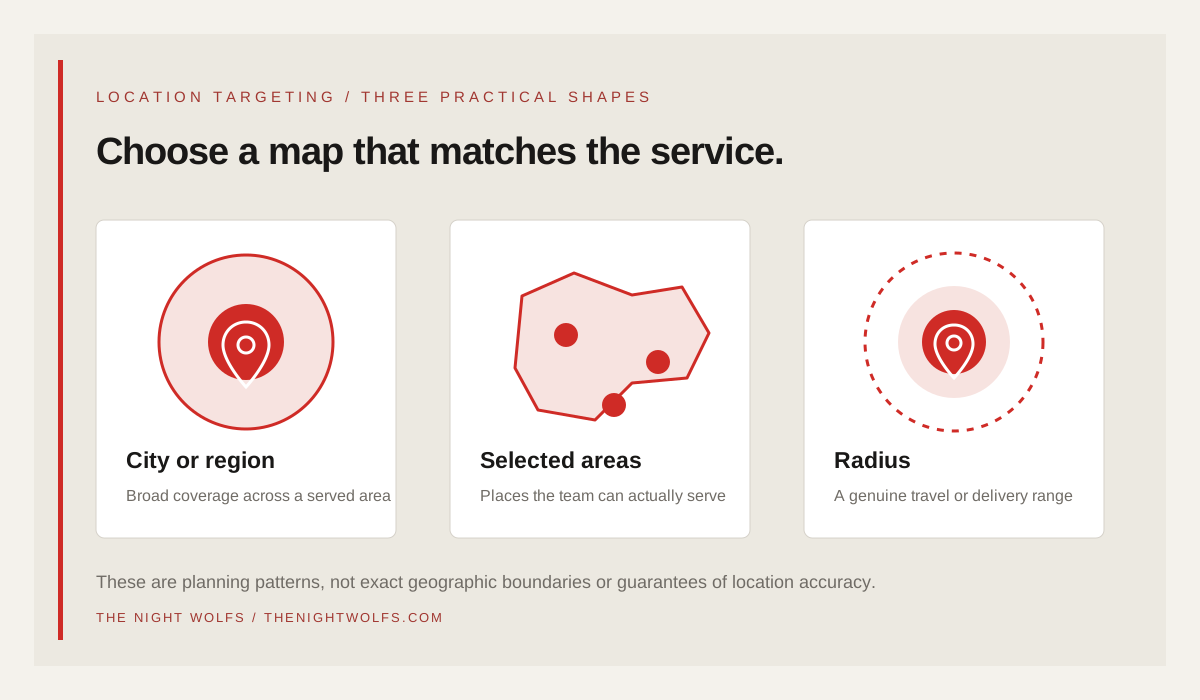
Google Ads supports several geographic target types, including countries, areas within a country and radii around a location; the options available depend on the country and campaign. A city or region can be a practical start when customers are distributed across that area. Selected locations can suit a business that only serves particular districts. A radius may be easier to explain when service depends on distance from a real operating point.
A radius should reflect where the team can serve, not be used as a shortcut for precise neighborhood boundaries. Google’s help documentation says radius targets must meet minimum thresholds, including at least 1 km around a location, and very small targets may serve intermittently or not at all. Check the current Google Ads interface and performance instead of assuming every requested boundary is available.
Do not add several overlapping city, area and radius targets just because the interface allows it. Document what each target is meant to include, then use one coherent setup that the campaign owner can review and explain.
| Target shape | Consider it when | Check before using |
|---|---|---|
| City or region | The service is available across most of that area | Whether the campaign should include outlying locations |
| Selected areas | Coverage or delivery differs between parts of the city | Whether those areas are available as targets in the current account |
| Radius | Travel or delivery is genuinely distance-based | The real service limit, minimum target size and overlap with other targets |
ADVANCED OPTIONS / MATCH CAMPAIGN INTENT
Decide whether location interest matters
Google Ads’ advanced location options can reach people likely to be in or regularly in a targeted place, as well as people who have shown interest in it. Google describes “Presence or Interest” as the default for most campaign types and recommends it broadly for Search and Demand Gen. The available setting and behavior can vary by campaign type, so confirm the current options before changing them.
The broader option can be useful when someone outside Mumbai may still want a Mumbai service—for example, a person planning a move, researching a project or arranging work for a local team. A presence-focused option may fit a campaign where the offer is only relevant to people physically in or regularly in the selected area. These are hypotheses to test against the business goal, not universal rules.
Do not switch to presence-only just because a few enquiries came from outside the city. First check whether those people were actually out of area, whether their search showed local interest and whether the resulting leads could be served. A campaign can lose relevant reach when location settings are narrowed without a clear reason.
- Write down whether the business needs people located in the area, people interested in it, or both.
- Check the exact location option shown for the campaign type.
- Compare lead quality and cost before and after any change.
- Review location reporting because an interest match is not the same as a person’s precise physical location.
EXCLUSIONS / AVOID UNNECESSARY REACH
Exclude only locations the business cannot serve
Use exclusions for locations that are genuinely outside the offer: places with no delivery, no service coverage or a legal or operational restriction. Keep a written reason for each exclusion so the team can revisit it if the service area changes.
Google says location exclusions are based on presence in excluded locations. Review the inclusion and exclusion list together, especially if targets overlap or use different levels such as a city plus nearby selected areas. An exclusion can reduce reach, so confirm it is removing unwanted traffic rather than suppressing customers the business can support.
Do not treat every click outside the preferred neighborhood as waste. A click could reflect a person who is interested in the area or a broader service that the company can deliver remotely. Check the search context, matched location and lead details before adding an exclusion.
| Signal | Review before excluding |
|---|---|
| Clicks from a nearby area | Can the team travel, deliver or provide the service there? |
| An enquiry from outside Mumbai | Was the person researching a Mumbai project or asking for a remote service? |
| Repeated low-quality enquiries | Are location settings the cause, or is the offer, keyword or landing page unclear? |
| Campaign reaches a restricted location | Is the restriction documented and correctly reflected in targeting and exclusions? |
MESSAGE MATCH / SAY WHAT THE BUSINESS CAN DO
Match the ad and landing page to real availability
A location setting does not make an offer local by itself. Make sure the ad, call to action and landing page accurately describe the service area, appointment route, delivery terms and next step. If a visitor clicks an ad for a supported area, they should not have to search the site to find out whether the business can help them.
Use a location-specific page only when it adds useful, accurate information for people in that area—such as a real service boundary, local delivery details or an appropriate contact route. Do not create near-identical location pages that change only the neighborhood name, or imply an office that does not exist. Google Ads location targets are not a substitute for honest page content.
Keep ad language and language settings coherent with the audience and page. If a campaign uses English, Hindi or Marathi creative, make sure the destination provides a clear experience for that visitor. The campaign should not send a language-specific ad to a page that cannot answer the next question.
- State the service area accurately on the landing page.
- Keep the ad promise consistent with delivery, travel and appointment capacity.
- Use a local landing page only when it provides genuine area-specific value.
- Review the page on mobile and test its contact or booking action.
REPORTING / DISTINGUISH TARGET FROM MATCH
Read geographic reports without over-interpreting them
Google Ads provides a “Targeted locations” view for the areas selected in the campaign and a “Matched locations” view based on where ads appeared. Google says matched locations can reflect a user’s physical location or a location of interest. Treat the report as campaign-level guidance, not a precise record of a person’s address or movement.
Compare the location report with meaningful business outcomes: qualified enquiries, accepted appointments, completed service visits or orders. Clicks and form submissions can help diagnose a campaign, but they do not show by themselves that the location is profitable or that the lead can be served.
Google notes that geographic reports may differ from other systems because location signals and reporting methods vary. Use one consistent source for campaign spend and compare like-for-like periods. If CRM or analytics data is connected, check that location, campaign and conversion details can be compared without collecting unnecessary personal data.
| Report view | What it helps answer | Important limit |
|---|---|---|
| Targeted locations | Which areas were chosen in the campaign settings? | It is the setup, not proof that every impression matched precisely |
| Matched locations | Where did Google Ads match the ad, including possible interest locations? | A match may not represent exact physical presence |
| Qualified enquiries by area | Which areas appear to produce serviceable requests? | Small samples or incomplete CRM records can distort comparisons |
| Spend and completed outcomes | Is the campaign contributing to a defined business result? | Reporting periods and attribution rules need to be consistent |
OPTIMIZATION / CHANGE ONE THING AT A TIME
Improve targeting with a simple test plan
Before changing the map, note the current campaign settings, recent spend, lead volume and lead quality. Pick one question to test—for example, whether a selected service area produces more qualified enquiries than broad city coverage. Change one major location setting at a time where possible, and keep other campaign variables stable enough to interpret the result.
Give the test enough time and volume to be useful, but do not force a narrow target if the campaign cannot serve reliably. Compare qualified leads and business outcomes, not just cheaper clicks. A location with fewer clicks can still be more useful if the requests match the service; a location with more clicks can be poor value if the business cannot fulfill them.
Review the result with the people who handle enquiries and deliveries. If the target is changed, update internal notes and landing-page coverage information so campaign settings and customer expectations stay aligned. There is no setting that guarantees a particular conversion rate, spend level or rank.
- Record the original settings and the business question the test should answer.
- Change one main location variable at a time when practical.
- Compare qualified enquiries, accepted work and campaign spend.
- Keep or reverse the change based on evidence and service capacity.
FINAL REVIEW / SETTINGS AND CUSTOMER PROMISE
Use this pre-launch location checklist
A quick review can catch location settings that look reasonable in the account but do not match the way the business works. Use this checklist before launch and whenever delivery areas, staffing, campaign goals or landing pages change.
- The selected locations match real delivery, appointment or service coverage.
- The city, selected-area or radius approach has a documented reason.
- The presence-versus-interest option matches the campaign’s audience intent.
- Exclusions remove places that cannot be served without blocking useful demand.
- The ad and destination page state the service area and next step accurately.
- The team can read targeted and matched location reports correctly.
- Lead quality and completed outcomes can be reviewed alongside spend.
THE DETAILS
Questions worth
asking early.
Clear answers about google ads location targeting in mumbai before you choose your next step.
Should a Mumbai business target the whole city or selected areas?
Choose based on where the business can actually deliver, meet or provide service. A business serving most of Mumbai may test broad city coverage; a team with limited travel or delivery may begin with selected areas or a practical radius. Check the current Google Ads location options and performance.
What is the difference between Presence and Presence or Interest?
Presence focuses on people likely to be in or regularly in a targeted location. Presence or Interest can also include people who have shown interest in that location. Google says this broader option is the default for most campaign types; campaign settings and behavior can vary, so match the choice to the campaign’s purpose.
Does Google Ads detect a user’s location with 100% accuracy?
No. Google says location targeting relies on signals such as settings, devices and platform behavior and is a best effort, not a guarantee of 100% accuracy. Use geographic reports as guidance and evaluate leads against the actual service area.
Can I target an exact neighborhood or a very small radius?
Available location targets vary by country, and very small targets may serve intermittently or not at all. Google’s documentation states radius targets must meet minimum thresholds, including at least 1 km around a location. Check the current interface and campaign delivery before relying on a precise boundary.
SOURCES & FURTHER READING
- Google Ads Help: Location targeting (opens in a new tab)
- Google Ads Help: Target ads to geographic locations (opens in a new tab)
- Google Ads Help: About advanced location options (opens in a new tab)
- Google Ads Help: About measuring geographic performance (opens in a new tab)
- Google Ads Help: Refine your location targeting (opens in a new tab)