THE SHORT ANSWER
What matters most.
Choose a refresh when the platform, information architecture and valuable URLs still work and the main needs are clearer content, better mobile usability or focused conversion fixes. Choose a full redesign when the structure or technology blocks important customer journeys. Before either launch, inventory important pages, map changed URLs, test redirects and monitor Search Console. A redesign is not a ranking shortcut; Google notes that site moves can fluctuate while URLs are recrawled.
QUICK REFERENCE
Key takeaways.
- KEY POINT 01A refresh improves selected pages while keeping a sound site structure; a redesign changes the structure or technology that no longer fits.
- KEY POINT 02Use analytics, customer questions, sales feedback and technical checks to identify the real problem before choosing a scope.
- KEY POINT 03Preserve useful URLs where possible; map each changed URL to its closest equivalent and test permanent redirects.
- KEY POINT 04Keep valuable content, internal links, canonical tags and crawl access intact through launch.
- KEY POINT 05Core Web Vitals are useful experience diagnostics, not a promise that a redesign will rank higher.
- KEY POINT 06Compare search visibility and qualified enquiries with a pre-launch baseline after the new site is live.
FIELD NOTES / WEBSITE STRATEGY & TECHNICAL SEO
Define a refresh and a redesign
A website refresh is a bounded improvement to a site whose core structure and platform remain usable. It can update the visual system, improve mobile layouts, clarify service pages, repair accessibility gaps, strengthen calls to action or modernize selected components without changing every URL or rebuilding every template.
A redesign is a broader change to how the website is organized or built. It may replace the content management system, restructure navigation, change page templates, combine or split sections, or revise URL patterns. A redesign can solve constraints that a surface refresh cannot, but it needs more discovery, content planning, testing and launch coordination.
These labels are not standardized project packages. Agencies may use them differently, so compare proposals by deliverables: which pages and templates change, whether the platform or URLs change, what content is included, and who owns migration and quality checks.
FIELD NOTES / WEBSITE STRATEGY & TECHNICAL SEO
Compare the two paths before choosing
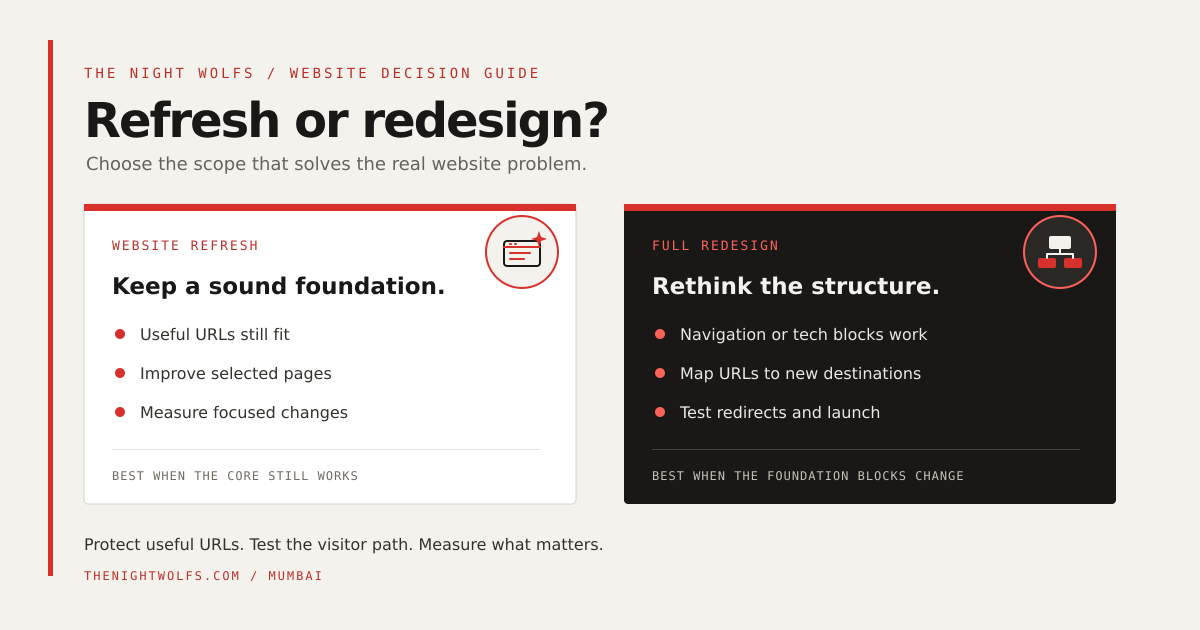
The right choice is about the size of the underlying problem. If visitors can reach the right pages and the platform supports the next improvements, a focused refresh may reduce friction without changing working parts. If the navigation, page model or technology prevents the business from delivering its offer clearly, a redesign may be the more coherent solution.
Use this comparison as a scoping conversation, not as a fixed rule. A phased project can start with a refresh on a small group of high-priority pages, then expand only if research shows that the existing architecture is the constraint.
| Decision area | Refresh | Redesign |
|---|---|---|
| Site structure | Navigation and page roles mostly work. | Information architecture needs a substantial rethink. |
| Technology | The platform can support required updates. | Platform limits block security, content or customer tasks. |
| Search URLs | Keep established URLs where they still fit. | Inventory and map every URL that must change. |
| Project scope | Targeted page, content or experience fixes. | Broader discovery, templates, migration and testing. |
| Best first step | Test priority improvements against a baseline. | Plan content, URL mapping, redirects and launch QA. |
FIELD NOTES / WEBSITE STRATEGY & TECHNICAL SEO
Decide with evidence, not visual age
Start with the jobs the site must perform. List the main visitor groups, their questions and the pages that should help them act. Check customer support queries, sales-call notes, form quality and user feedback alongside analytics. A page that looks old is not automatically the page causing lost enquiries.
Review a small set of useful evidence: mobile page experience, broken or confusing journeys, outdated offers, pages with meaningful search traffic, and the limits of the current platform. Separate observations from assumptions. For example, a high bounce rate alone does not prove that a page needs a redesign; visitors may have found the answer quickly, or the measurement may be incomplete.
A refresh is a reasonable starting hypothesis when the required page roles and URLs still make sense. A redesign becomes easier to justify when multiple important journeys share the same structural barrier, when the platform cannot support essential requirements, or when content has no clear place in the current architecture.
- Choose a refresh when the main issues are clarity, mobile presentation, content freshness or a few high-friction steps.
- Scope a redesign when navigation, templates, content structure or platform limits block important customer journeys.
- Consider a phased approach when evidence is incomplete: improve a representative set of pages, measure, then decide whether wider structural change is warranted.
FIELD NOTES / WEBSITE STRATEGY & TECHNICAL SEO
Protect search visibility during a redesign
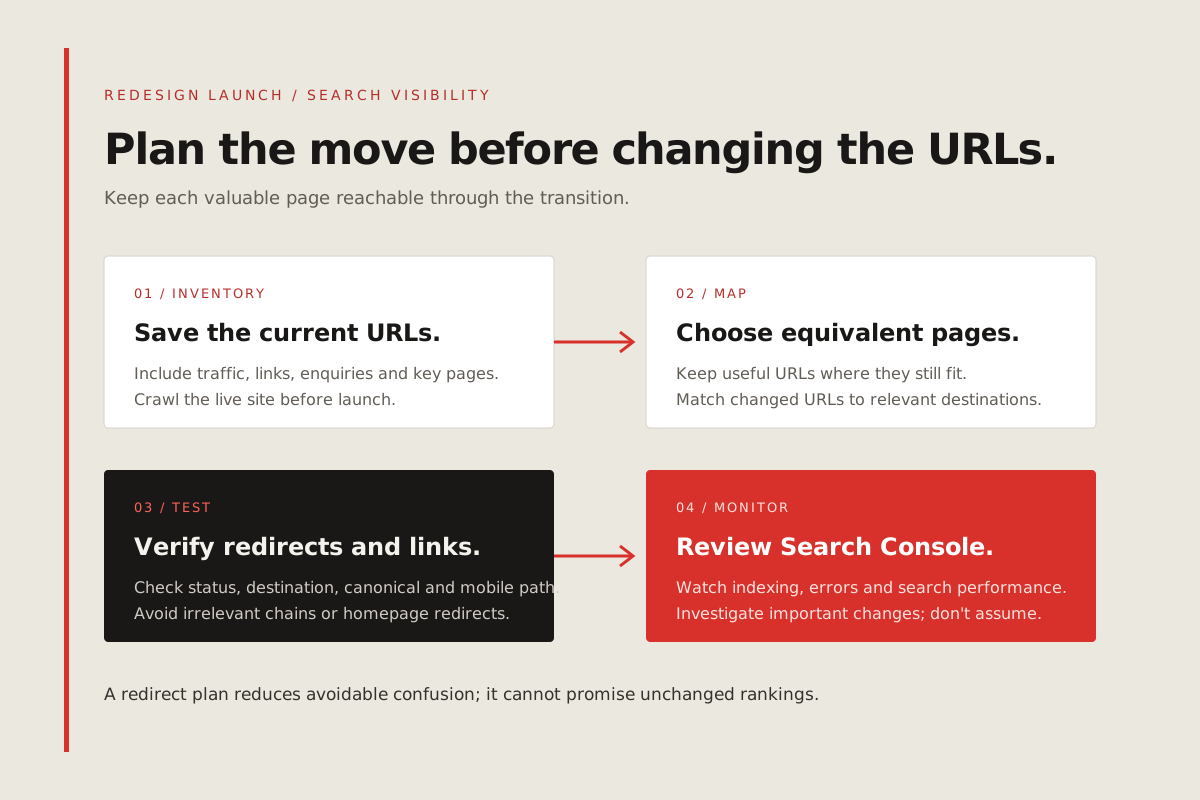
A visual redesign does not require changing every URL. If a page already serves a useful search intent, keeping its URL and purpose can reduce avoidable migration work. When a URL genuinely needs to change, Google recommends preparing a mapping from old URLs to their new equivalents, configuring redirects and monitoring traffic on both sets of URLs.
Use a one-to-one permanent redirect when a page has a clear replacement. Do not point unrelated old pages to the homepage just to avoid a 404; visitors and crawlers should reach the closest useful destination. Update internal links so the new site points directly to current URLs, and check that canonical tags, robots rules and sitemap entries match the intended live pages.
Google explains that site moves can cause temporary ranking fluctuations while URLs are recrawled and reprocessed. That is a reason to plan and monitor carefully—not evidence that every redesign will lose traffic, and not a guarantee that redirects will preserve every position. Keep the launch reversible enough to diagnose issues and use Search Console to watch indexing and search performance.
- Crawl and save the current site before launch; include URLs with search traffic, backlinks, enquiries or business value.
- Map each changed page to the closest relevant destination, and test permanent redirects and redirect chains.
- Update navigation, contextual links, canonical tags, robots rules and the XML sitemap for the final URLs.
- Test representative pages on mobile and check that important content is available to visitors and crawlers.
- After launch, verify both Search Console properties if the domain changes and monitor the old and new URL sets.
FIELD NOTES / WEBSITE STRATEGY & TECHNICAL SEO
Carry forward useful content and accessibility
Treat content as part of the design system. Before removing or merging pages, identify what each page answers, whether it still attracts qualified visitors, and whether other sites link to it. Keep material that remains accurate and useful; consolidate genuinely overlapping pages only when the replacement covers the same visitor need.
Preserve clear headings, descriptive link text, form labels, keyboard access, contrast and readable mobile text. These details help people complete tasks and make a new interface more robust. Review real pages—including forms, menus and error states—rather than signing off from a homepage mockup alone.
If a redesign adds new services or locations, publish specific pages only when the business can provide distinct, useful information. A larger sitemap or a longer navigation menu is not a substitute for a clear page purpose.
FIELD NOTES / WEBSITE STRATEGY & TECHNICAL SEO
Test the experience on real devices
Check the pages people use most on a phone: service details, pricing or process information, contact forms and the route to an enquiry. Verify that menus open and close predictably, buttons have comfortable touch targets, key text is not hidden behind overlays, and forms show clear validation and confirmation.
Google’s current Core Web Vitals guidance describes good user-experience thresholds at the 75th percentile: Largest Contentful Paint (LCP) at 2.5 seconds or less, Interaction to Next Paint (INP) at 200 milliseconds or less, and Cumulative Layout Shift (CLS) at 0.1 or less. Use field data when available and investigate the actual cause of a slow or unstable page; meeting a threshold is not a guarantee of higher rankings or conversions.
Measure before and after with the same pages and conditions where possible. Compress oversized images, avoid unnecessary motion, reserve space for images and embeds, and test third-party scripts. Do not trade legibility or useful content for a faster-looking but less usable page.
FIELD NOTES / WEBSITE STRATEGY & TECHNICAL SEO
Launch in a sequence you can verify
Before launch, freeze a baseline for important URLs, search clicks and impressions, qualified enquiry events and the main mobile experience. Keep a page inventory and redirect map in a place the team can update. Assign someone to approve page content, someone to test forms and someone to monitor the site after release.
At launch, check representative URLs, redirects, canonical tags, robots rules, sitemap availability, analytics consent behavior and enquiry delivery. Then review Search Console coverage and performance along with actual lead quality. Investigate unexpected 404s, blocked pages, broken forms or sharp changes in important landing pages instead of assuming every movement is a normal redesign effect.
A website project is successful when it makes the business easier to understand and the next useful action easier to take. Rankings and enquiries can change for many reasons; set a measurable goal, keep a record of changes and improve the pages that evidence identifies.
THE DETAILS
Questions worth
asking early.
Clear answers about website refresh vs redesign before you choose your next step.
Does a website redesign hurt SEO?
Not automatically. Risk increases when useful pages disappear, URLs change without suitable redirects, internal links break, or important pages become blocked or hard to understand. Google says site moves can have temporary ranking fluctuations while pages are recrawled, so plan the move and monitor it in Search Console.
Is a website refresh always cheaper than a redesign?
A refresh often has a narrower scope, but price depends on page count, content, technology, integrations, accessibility work and who supplies assets. Compare written deliverables and migration responsibilities rather than relying on the project label alone.
Should I change my website URLs during a redesign?
Change URLs only when there is a clear information or technical reason. Keep useful URLs where possible. For each URL that must change, map it to the closest relevant destination and test a permanent redirect before launch.
Will a new design move my business to the first page of Google?
No redesign can guarantee a first-page position. A clearer, more usable site can improve the visitor experience, but search visibility also depends on relevance, content, competition, crawlability, authority and other factors.